Downread Blog

Pausing a Feed

Sometimes a feed just posts too often for you to keep up, or you are getting tired of it. Yet you don't want to remove it from your feeds. What can you do?

Downread just got a new feature that will help you in this situation: you can now pause a feed. Click on Pause to stop getting unread post notifications from the feed. You can still read it, but it won't mark anything as unread.
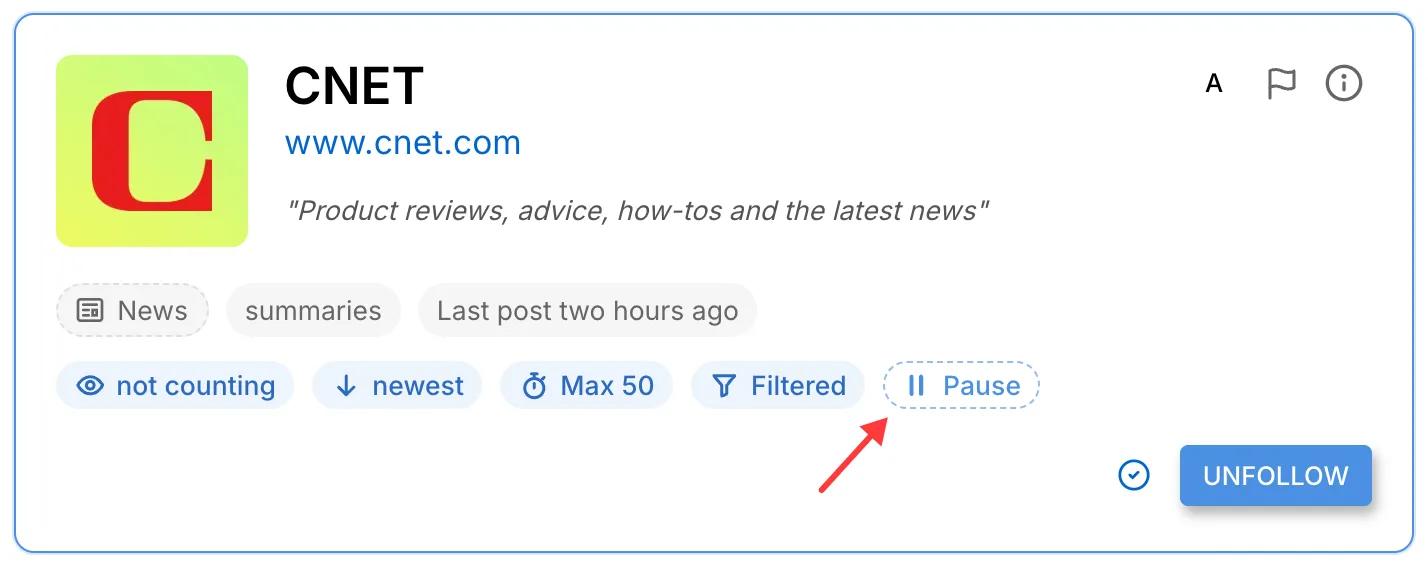
The Pause badge
The Pause badge

Decide how long you want to pause a feed. You can either suspend it for a week, a month, or until you end the pause.
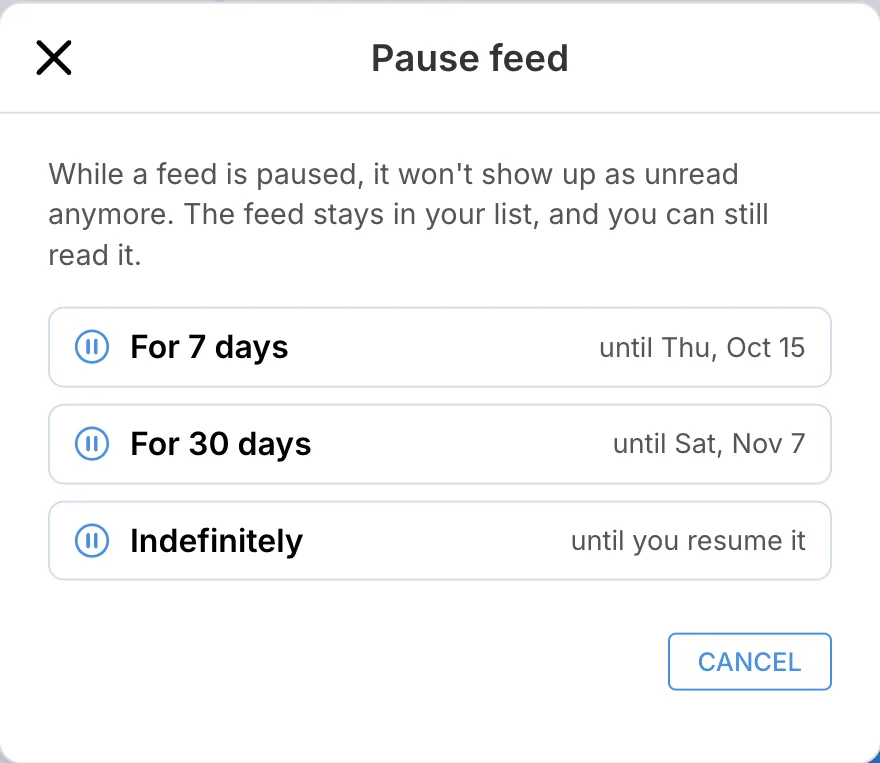
Snooze or pause indefinitely

Once you're pausing it, you can still access it or extend the pause.
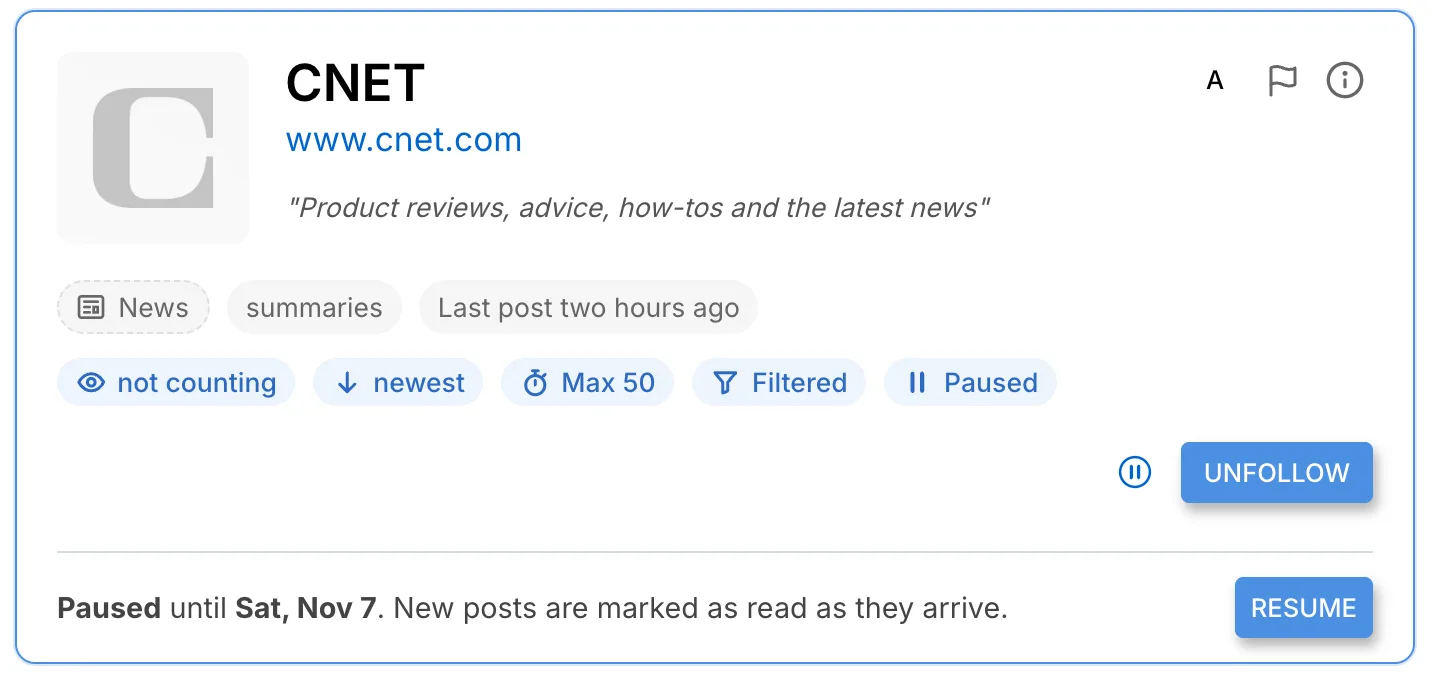
A paused feed
A paused feed

I'm very excited about this feature, as I have plenty of feeds I keep in my list but don't really read anymore.

By Tim · October 8, 2026 at 20:00 UTC · Permalink
New Quick Search and New Touch Screen Navigation

This is UI overhaul weekend. Here are the changes since my last post.

Quick Search

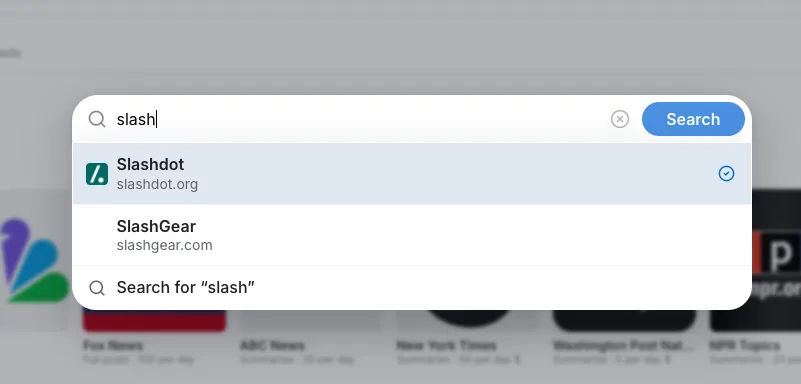
You can now search anywhere. Press '.', on any screen, and the quick search opens:

Quick Search
Quick Search

Enter the name of one of your feeds, press 'Return', and you will jump right there. This is possible with any feed, even those you don't subscribe to yet.

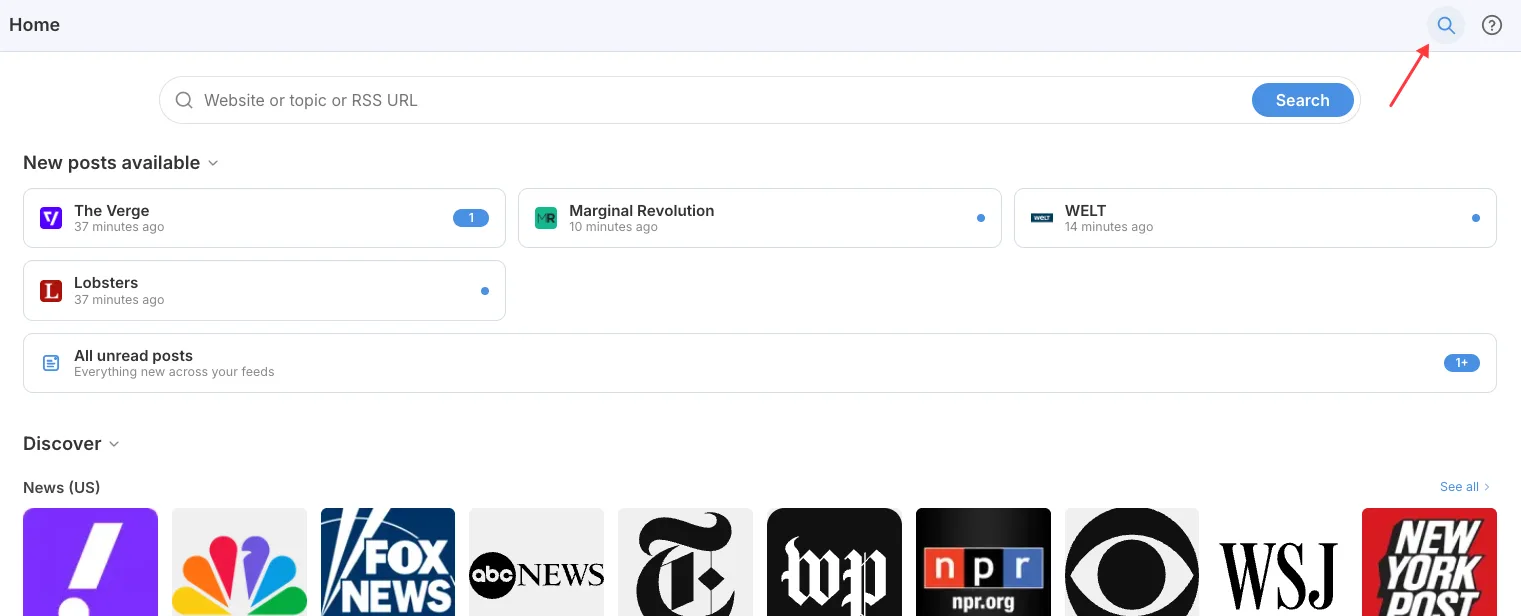
For users who do not or cannot use keyboard shortcuts, it's also on the home page and other pages:

Search on Home Page
Search on Home Page

Just click the search button at the top to get it.

Improved Buttons and Touch Screen Navigation

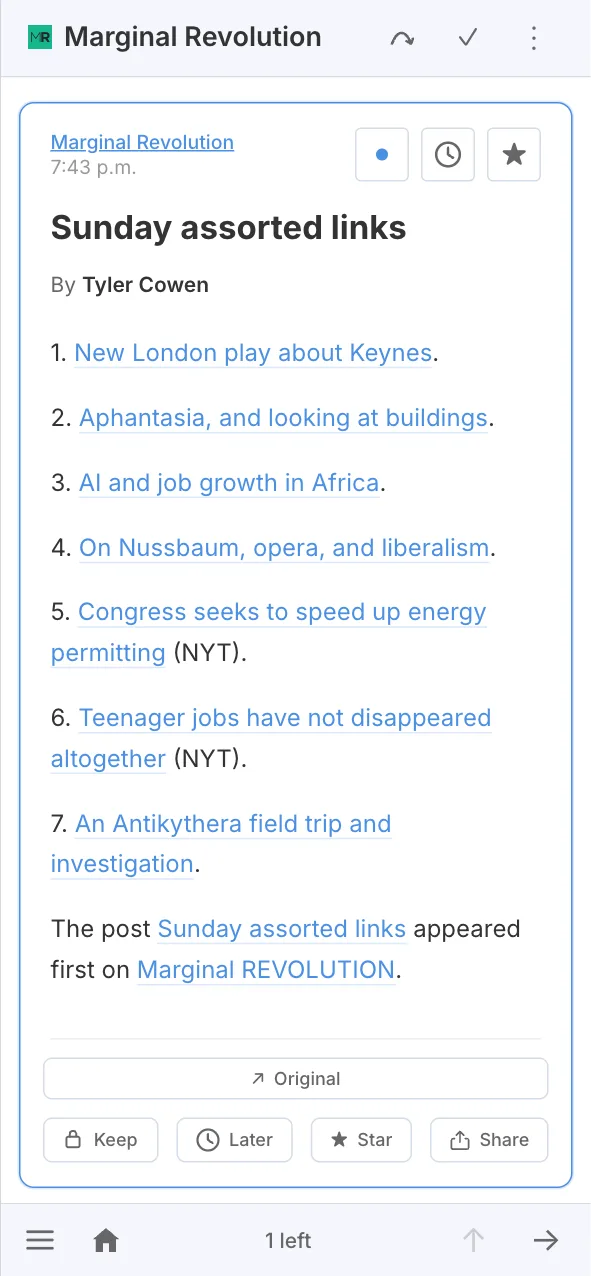
Also new: an improved, always-present footer for touchscreen devices.

New footer and header design

The new footer is far more consistent than the previous solution; the home page is always one click away, and, I hope, the menu (hamburger) button is easier to reach.

You can also see the new button design on the screenshot. Toolbar buttons are frameless now.

By Tim · October 4, 2026 at 21:00 UTC · Permalink

Major redesign of Homepage and Add Feed page

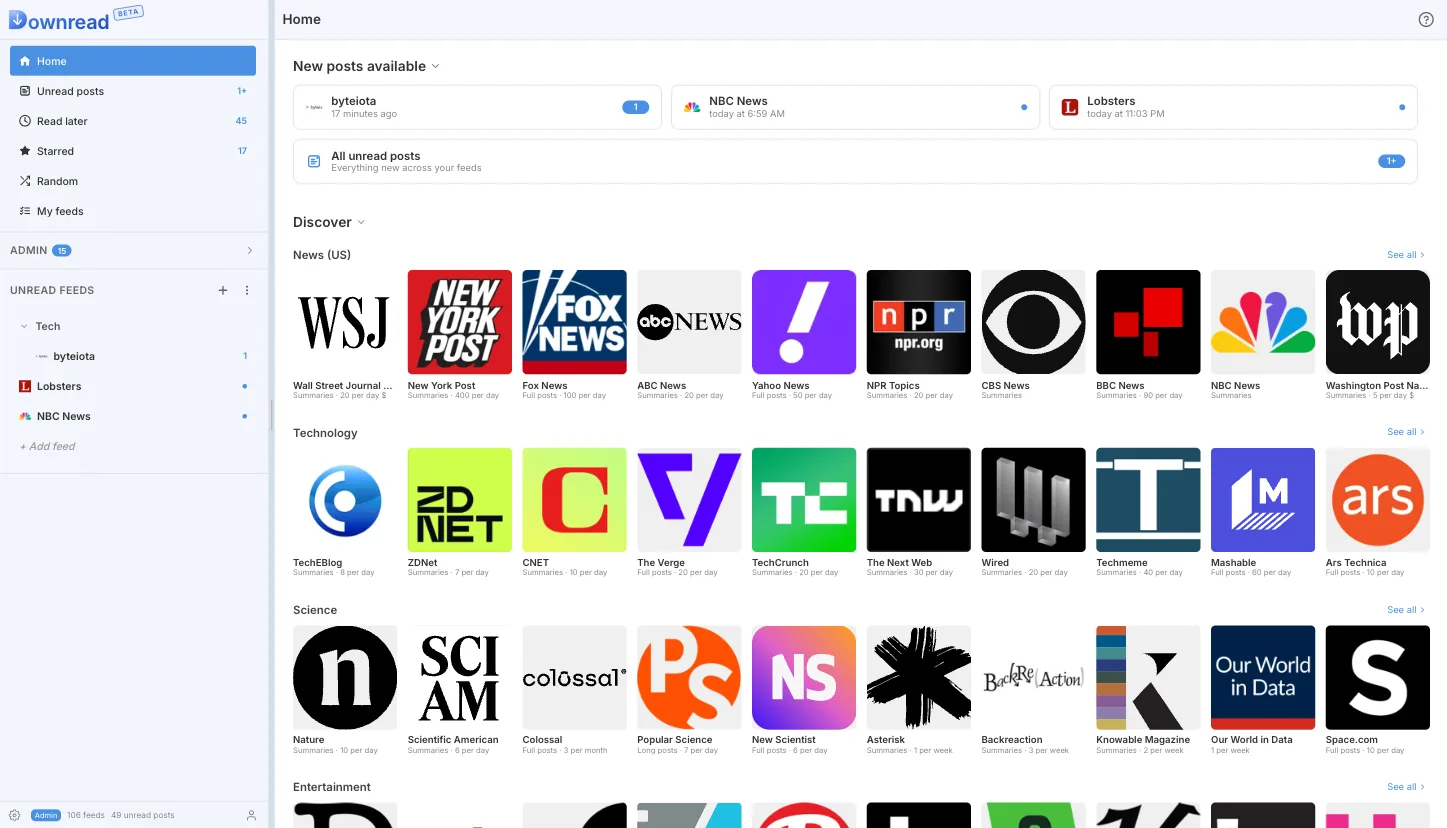
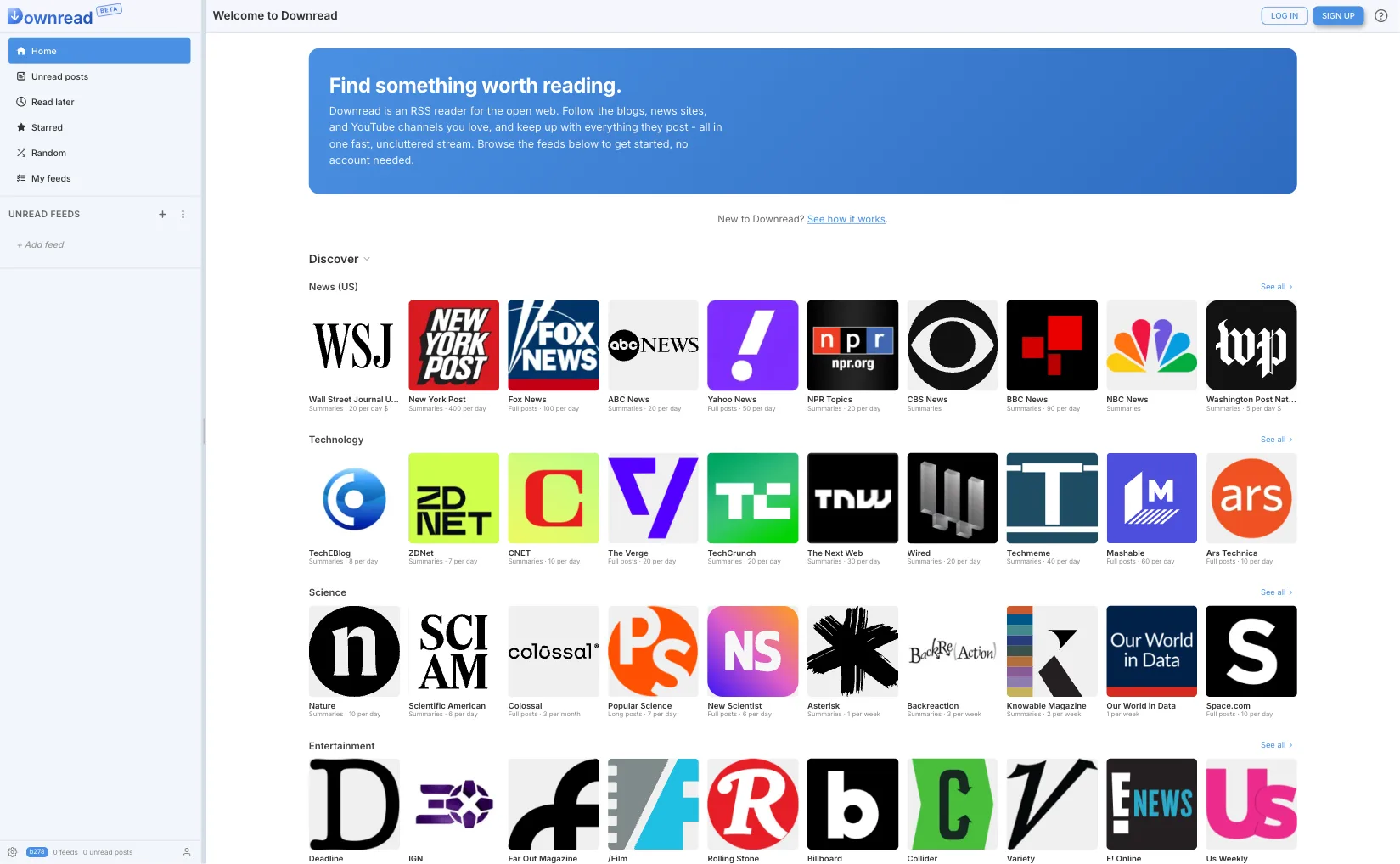
If you log in today, you will notice that Downread's Homepage has been completely overhauled. On a desktop, it looks like this:

New start page, desktop

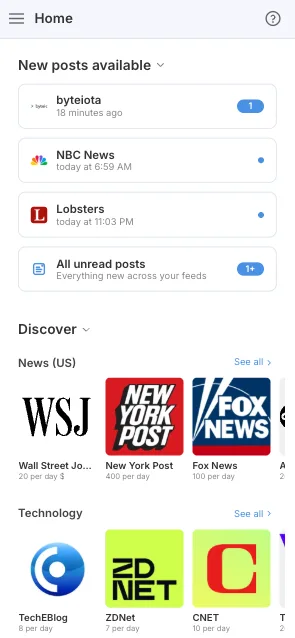
And this is the mobile layout:

Mobile layout
Mobile layout

The new layout probably reminds you of podcast apps, and this is no coincidence. I am trying to move away from long texts on the homepage that hardly anyone reads, and replace them with an intuitive design that can get you reading instantly: click on one of the tiles, and you're immediately in the reader. No need to follow the feed anymore, no preview button, just jump right in.

This is what it looks like for a new user:

View for a new user
View for a new user

Again, not a lot of text, no onboarding process. Just a UI that feels natural to anyone who has ever used a podcast player or an ebook.

Add Feed

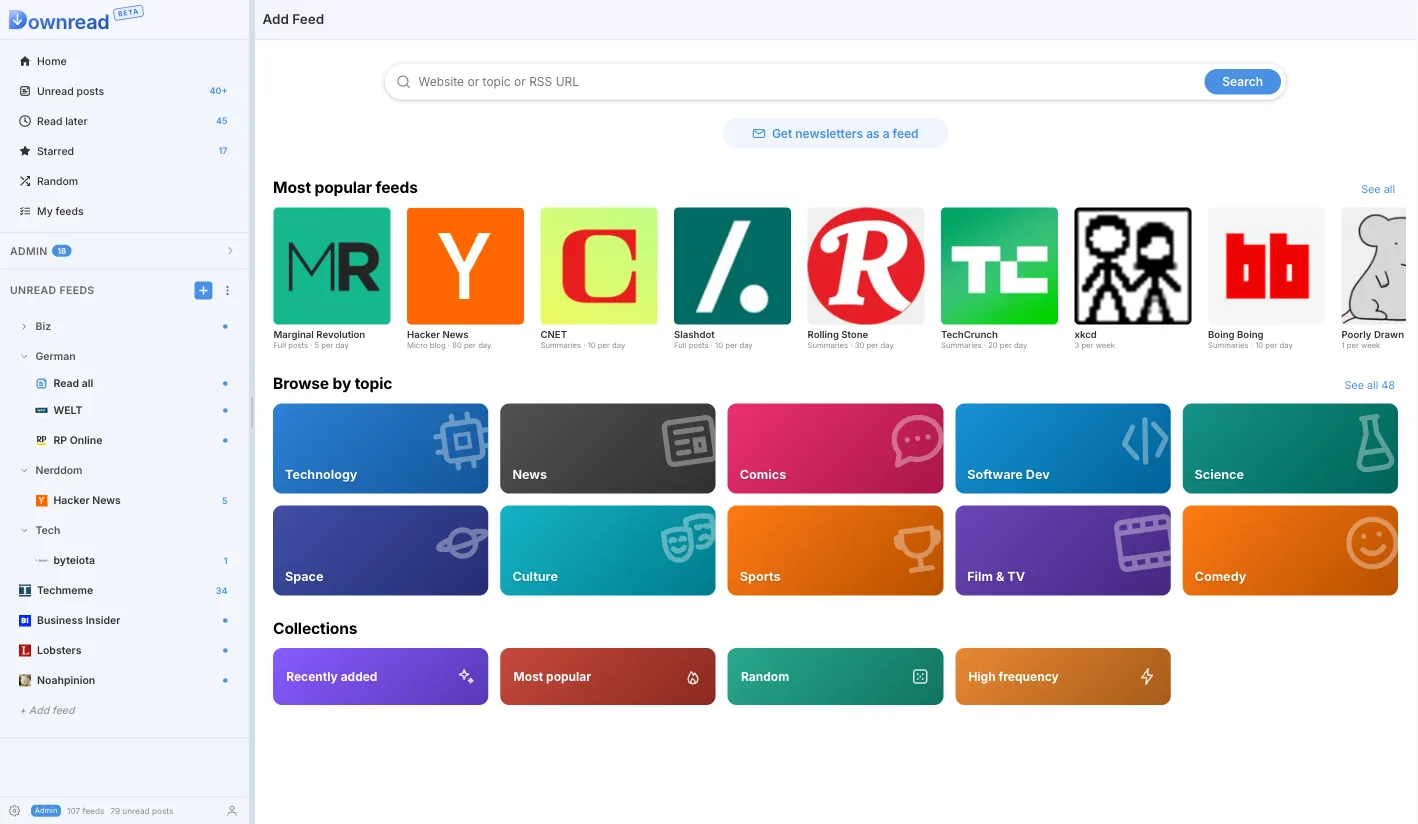
The Add Feed page also got a redesign. While it also uses tiles for the most popular feeds, its main features remain search and the feed catalog. The feed catalog has a new icon design, and like the homepage, viewing a feed means diving right in. No more preview popups with limited text.

New Add Feed
New Add Feed

The only thing that has not been touched yet is the search. This is planned for the next major UI update.

By Tim · October 3, 2026 at 09:56 UTC · Permalink

September minor improvements

Usually, I only write here for major new features. This month, however, I've mostly been working on fixing bugs and improving things under the hood. But there were still some visible improvements worth sharing. Here are some of the more notable ones.

Feed catalog

RSS feeds contain a wide variety of content: from collections of links to full articles, book chapters, podcasts, and video feeds. It can be hard to know what you're getting into before you subscribe.

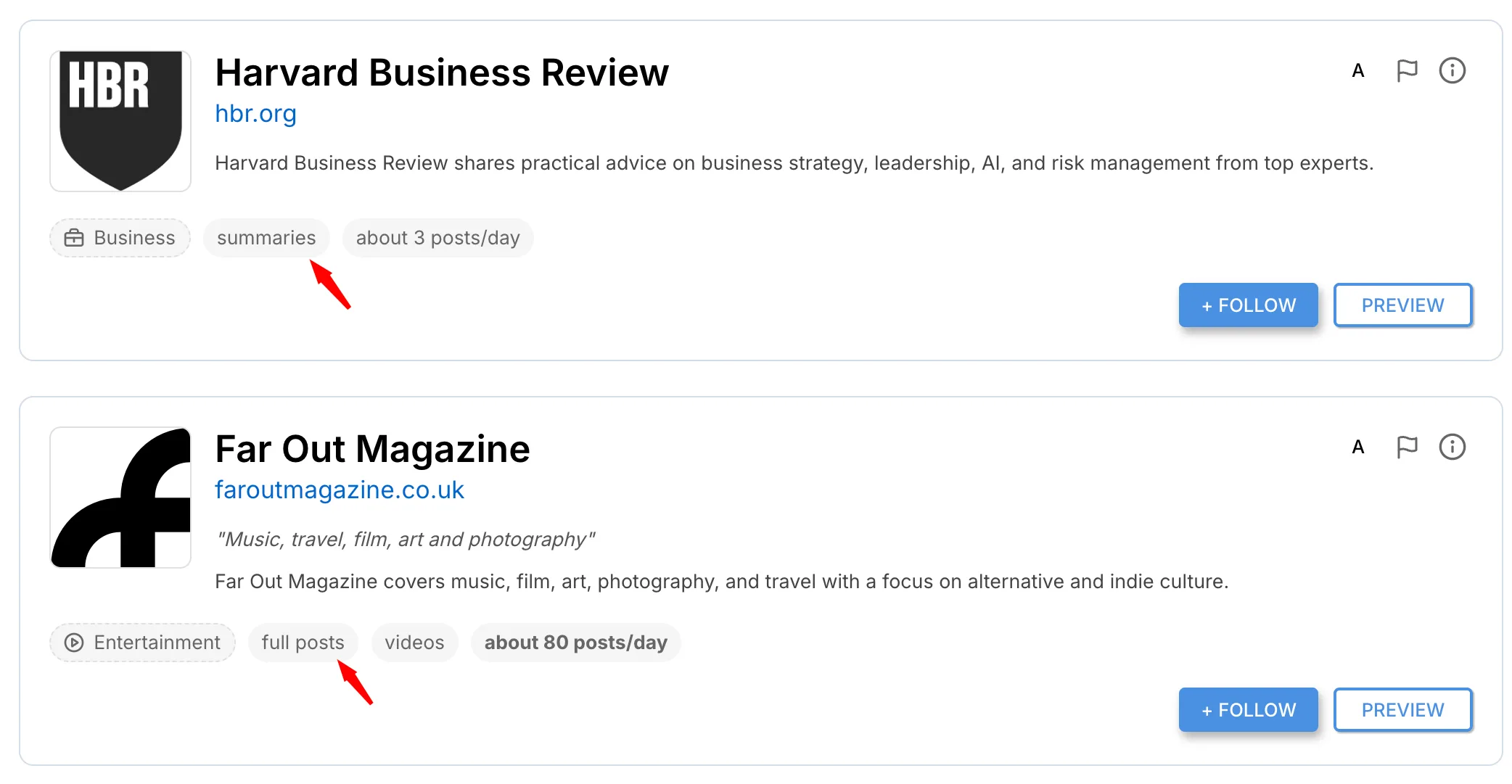
The feed catalog now shows a badge indicating what to expect. Downread analyzes feed content by examining text length and checking for images, videos, or audio. Based on this analysis, it displays a badge that gives you a preview of the feed's format.

Feed type badges
Feed type badges

Large Undo button when marking as read

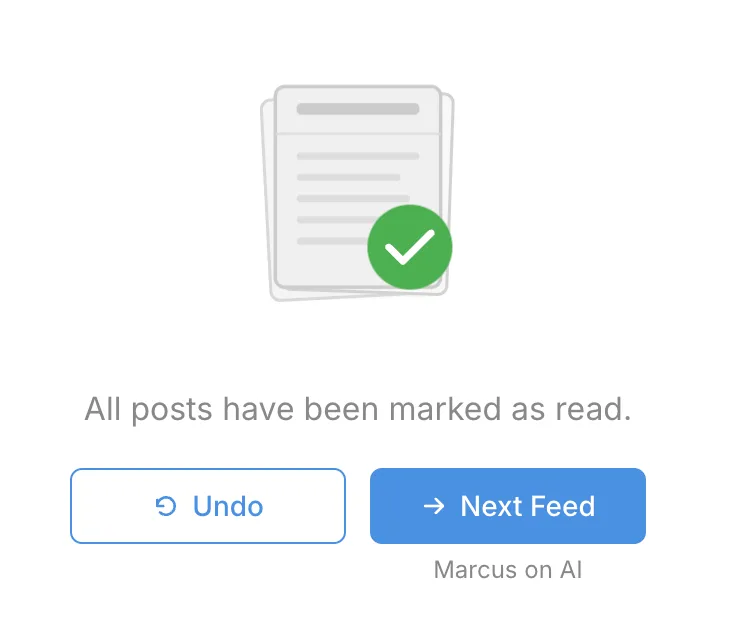
When you mark a feed or folder as read, the Undo button was either missing or hidden in the toolbar. Now, a large, hard-to-miss button appears to let you undo the action.

New, large undo buttons after marking all a feed as read

Improved rendering of complex feeds

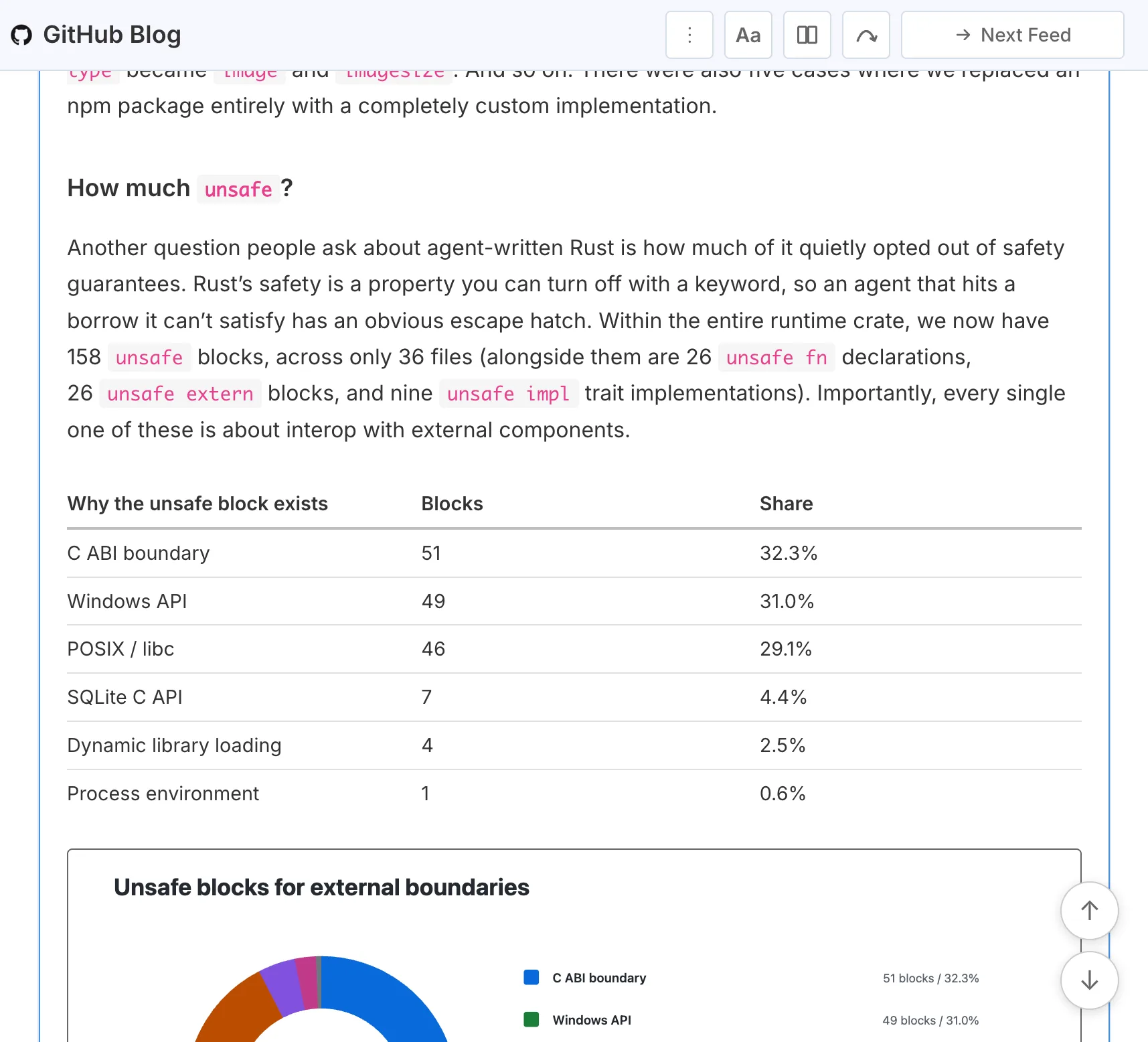
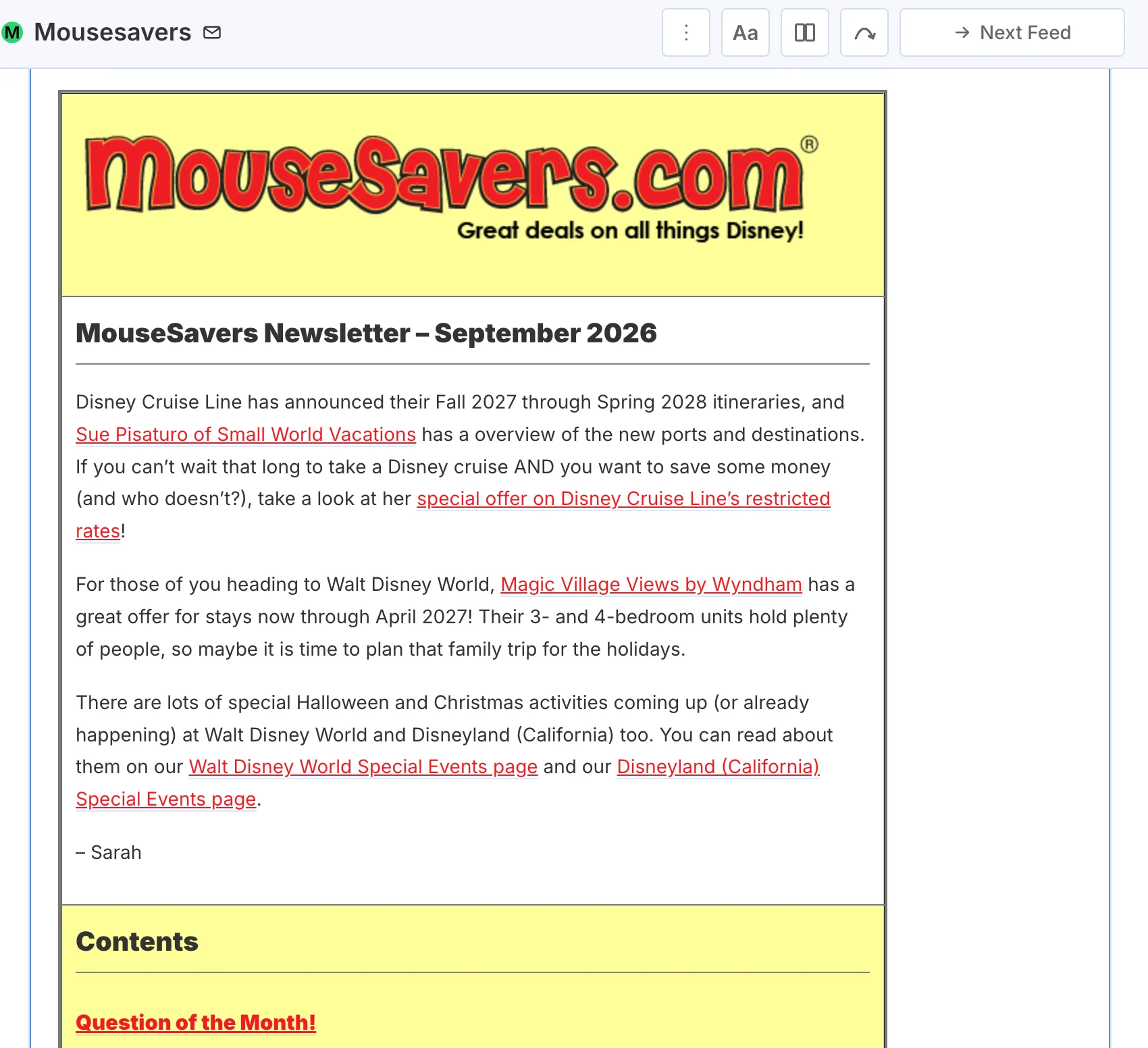
A lot of work has gone into rendering complex feeds—one of the most underappreciated improvements this month. Tables are now analyzed and rendered appropriately based on their content and layout.

Data tables in the Github Blog Layout tables and custom styling for Mousesavers

Downread now also supports basic Tailwind styles and layouts, along with custom styles for complex feeds. I'll dive deeper into this in an upcoming post.

By Tim · September 25, 2026 at 19:00 UTC · Permalink

Welcome to Downread

The Downread Beta is now officially open to everyone! And not only that. The blog you are reading is public. The first version of the website is public. And Downread itself is free, forever, for everyone who signs up in the foreseeable future.

By Tim · September 9, 2026 at 21:11 UTC · Permalink
Also read Two Waves and a Dot, our sponsored blog.